
NOTE: Expenses MUST have a of value $1 or more
1. Log in to your Tuvoli.com account.
2. From the waffle menu located in the top right-hand corner of your screen, please click on "Booked Trips".
3. Use the data range fields, trip status or input the tail # or trip # to locate the trip to which you would like to add expenses.
4. Locate the desired trip and click on the "Details" button at the end of the trip's row.
5. Within the Trip Details screen, click on the "Trip Expenses" button.
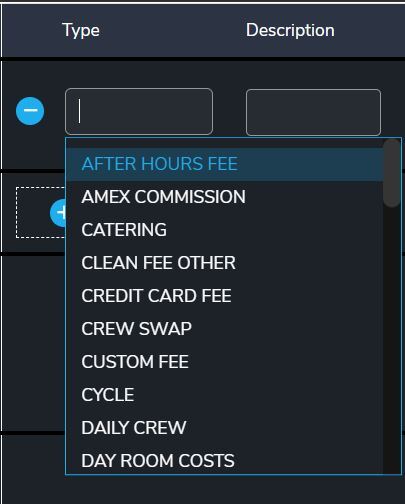
6. Click on the "+ Add New Expenses" button, input each expense and click on the save button at the end of each line item's row.
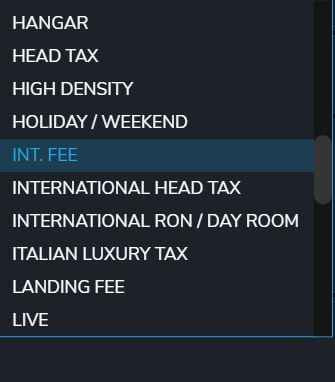
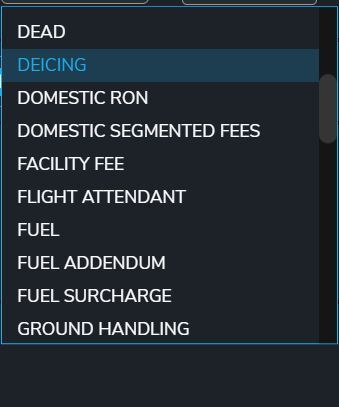
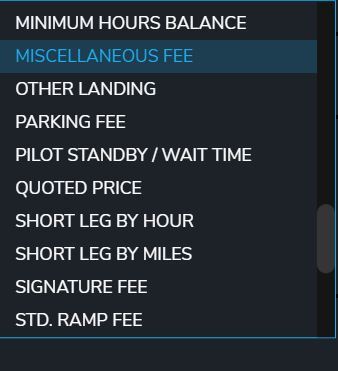
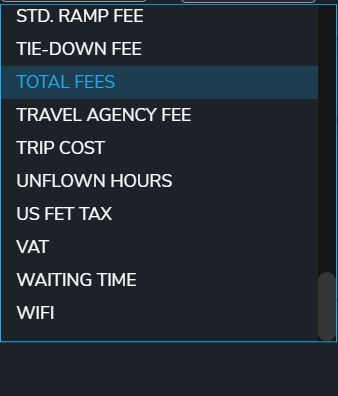
*Available expense types pictured below
7. Once all of the expenses have been entered, click on the "Submit Expense(s)" button at the bottom of the screen.