
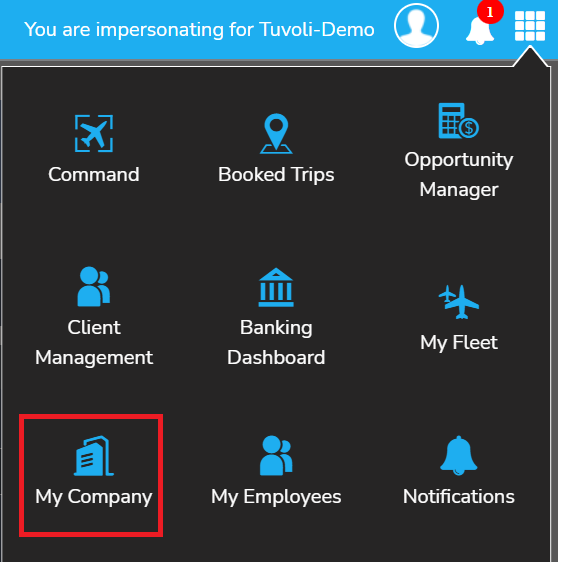
- To access the "My Company" page, click on the waffle menu in the top right-hand corner of your Tuvoli account. This will bring you to where you can make changes.
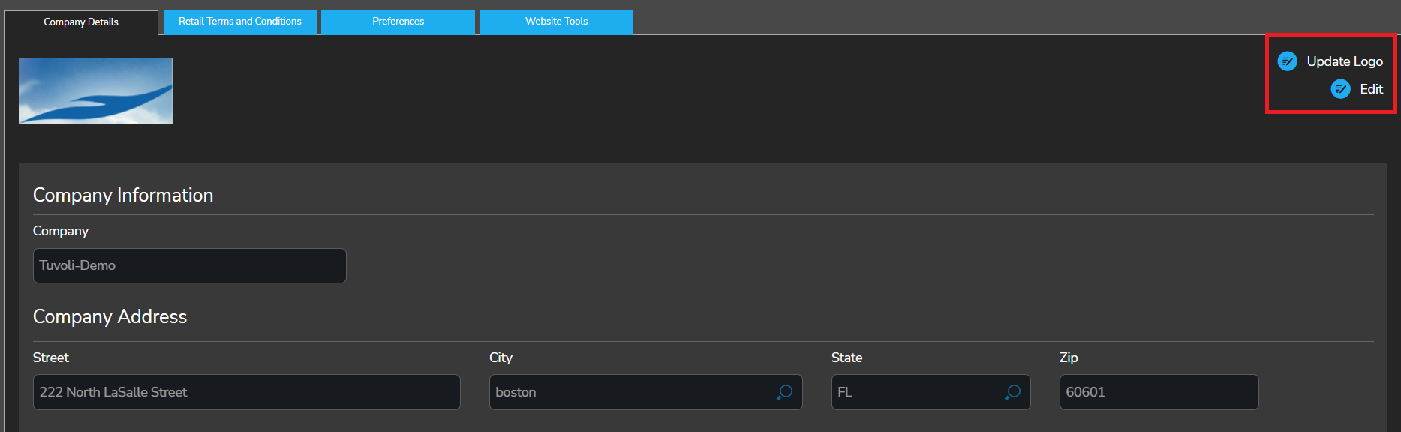
- You are now in the my company section of your Tuvoli account. Here, you can update your company logo, edit company details, update your retail terms & conditions and edit your web widget design (widget editor).
-
Under the "company details page (1st tab), to edit information on the company profile page click “edit”.
-
To update the company logo click “update logo”
-
Under the "retail terms and conditions" page (2nd tab), to add (+), edit or delete terms and conditions.

- Under the "preferences" section (3rd tab), create your Sales Distribution list. In this section, you will enter in a distribution email to receive updates on signed and confirmed customer quotes. Users added to this distribution email will receive updates sent from Tuvoli when customer quotes are Docusigned and confirmed.
- Under the "website tools" (4th tab), you will find a separate FAQ dedicated to that. Web Widget under My Company Page