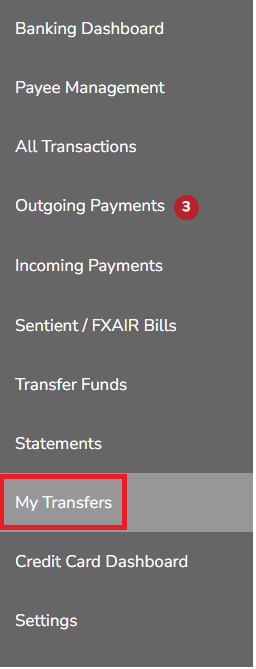
1. Login to your Tuvoli.com account.
2. From the waffle menu located in the top right-hand corner of your screen, click on "Banking Dashboard".
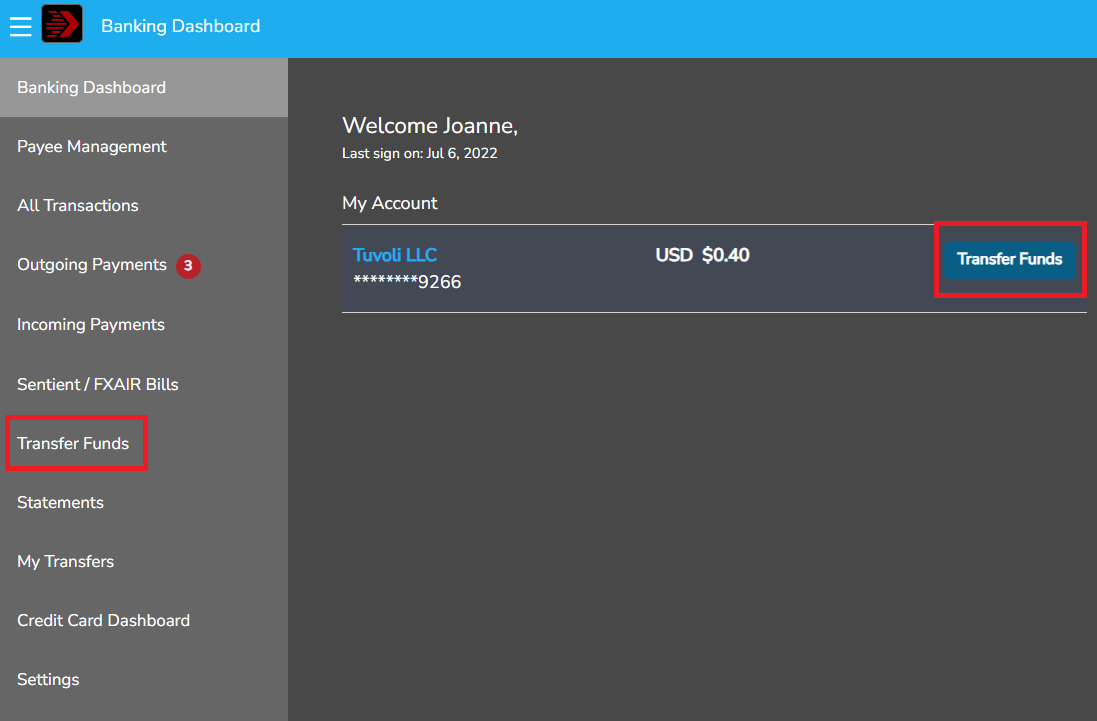
3. In the Banking Dashboard, click on the "Transfer Funds" button. There are 2 places the transfer funds option will appear.
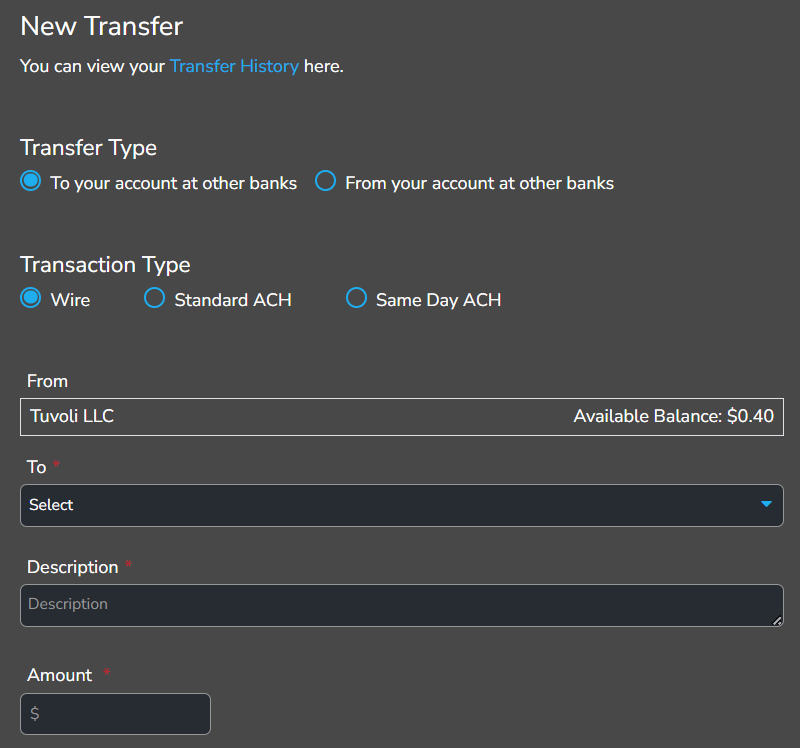
4. In the Bank Transaction Screen, when transferring funds from your Tuvoli bank account to your Commercial bank account, click on the "To my accounts at other banks" button.
5. When transferring funds from your Commercial bank account to your Tuvoli bank account, click on the "To your accounts at other banks" button.
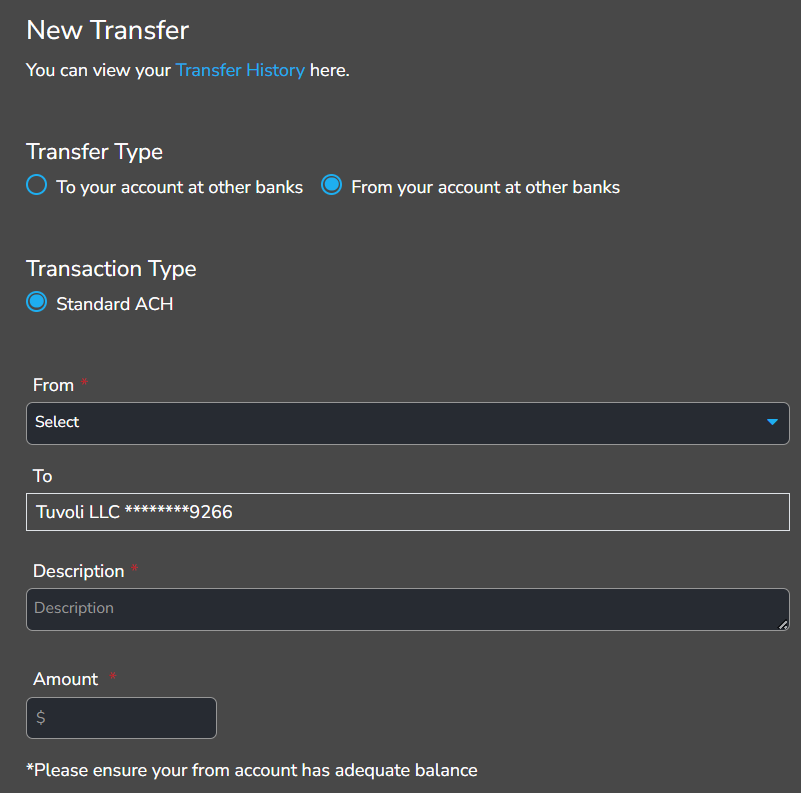
6. Select the type of transaction you would like to make (Standard ACH is next day, same day ACH or Wire). Please keep in mind there are fees associated with Same Day transfers and wires- $5 fee same day ACH, $25 fee wire.
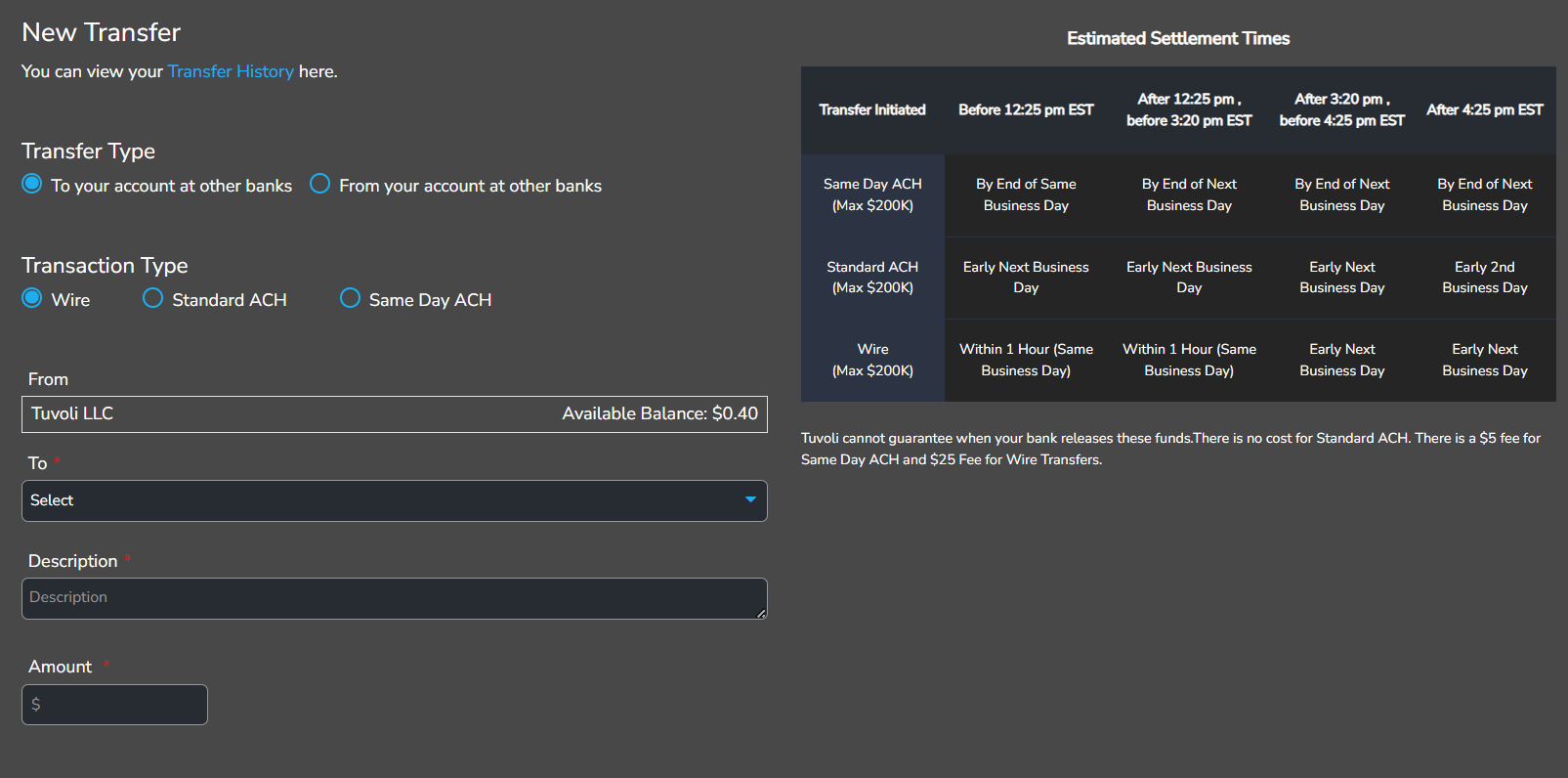
7. Click on the "To" field and select the bank account where you want to transfer funds.
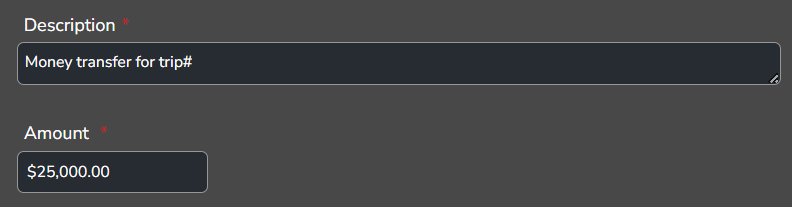
8. Finally, enter the description and amount you would like to transfer, then click on the "Continue" button.
*Please Note* ACH transaction details can be reviewed by clicking on the "My Transfers" option within the Banking Dashboard. Here you may view from where and to where the funds are being transferred, as well the amount, date, transfer type and status. Once initiated, the transfer STATUS will be Pending. When your transfer hits the bank, the STATUS will update to Completed.